Know what is available.
Match the customer, dates, equipment, attachments, rate, deposit, and pickup plan before promising the unit.
 ShopPilot RentalRental operating system
Request testing
ShopPilot Rental · One location or a whole group
ShopPilot Rental is a separate product built for equipment moving out, coming back, staying billable, staying service-ready, and staying visible across every authorized rental location.
The rental-day flow
Rental centers the workflow on availability, responsibility, condition, money, and the next safe use of the unit.
Match the customer, dates, equipment, attachments, rate, deposit, and pickup plan before promising the unit.
Confirm the contract, accessories, meter reading, condition photos, customer acknowledgment, and balance.
Capture return time, new meter reading, fuel or charge, photos, missing items, damage, fees, and payment.
Trigger maintenance review, holds, repair history, cleaning, readiness, and the next available date.
What Rental includes
Rental is not a repair-order screen with new labels. Its workflow is organized around time, possession, condition, billing, and fleet readiness.
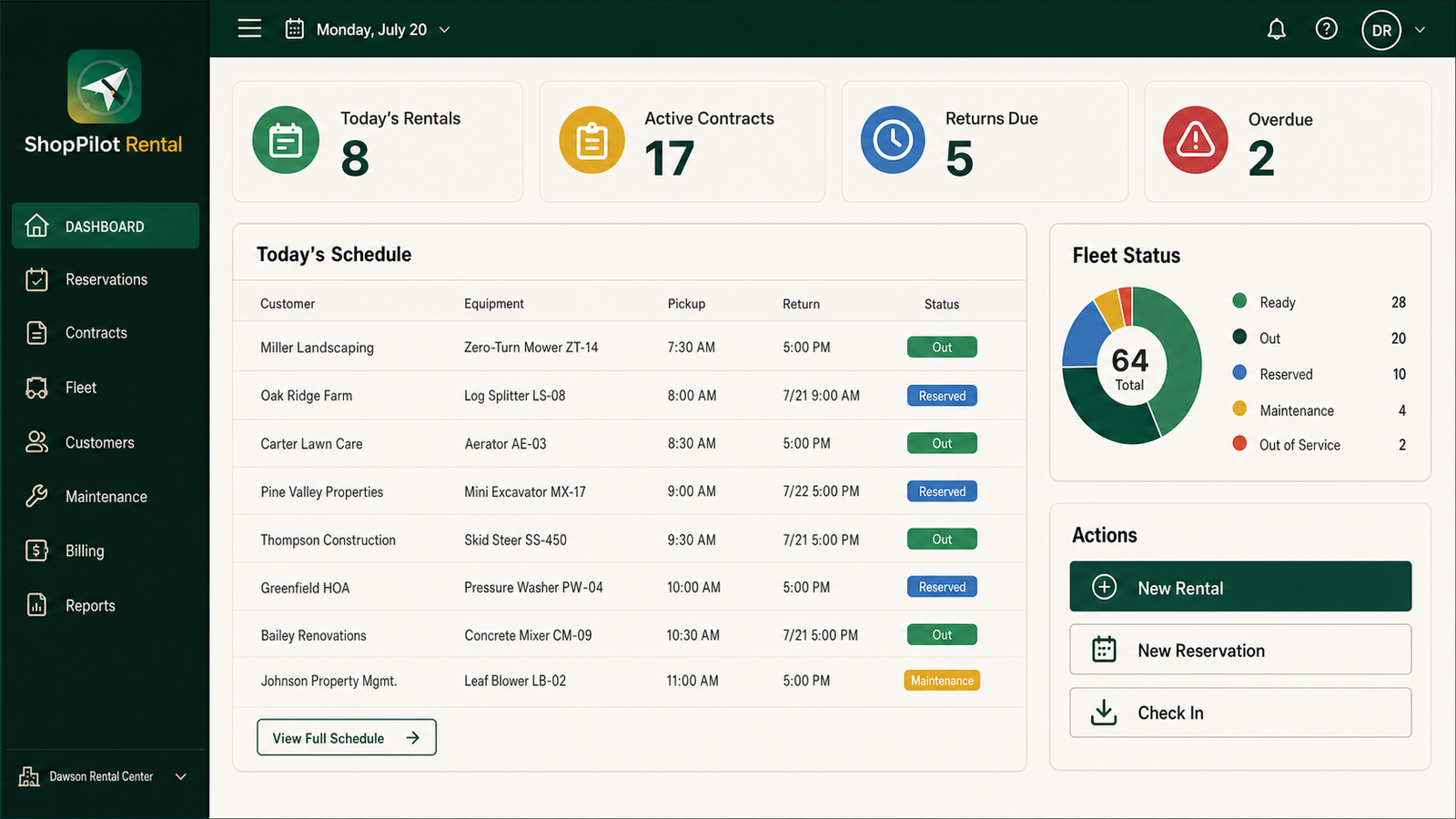
See what is ready, reserved, out, due back, overdue, or unavailable before confirming a rental.
Keep rates, deposits, charges, fees, payments, balances, signatures, and customer history with the agreement.
Attach multiple contract photos, meter readings, accessories, damage notes, and check-out and return condition.
Take the check-out and check-in workflow to the counter or yard while preserving the same rental record.
Track operating hours, service intervals, maintenance popups, repair history, and holds before the next reservation.
Bring every authorized rental location into one view for availability, pickups, returns, overdue contracts, maintenance, and store performance.
Rental product preview
The current controlled-testing direction makes the rental day readable at a glance, then keeps the supporting contract and condition record close.
Choose Rental when
Keep the boundary clear
Help shape the Rental workflow
Share the type of equipment you rent, how many locations you run, and what the current handoff process misses.